网页制作中应用的50个CSS技巧(国外)
脚本之家
网页制作Webjx文章简介:CSS is almost certainly one of the best developments in web design since the first graphical web browsers were adopted on a wide scale. Where tables created clunky, slow-loading pages, CSS created much more streamlined and usable web pages. Plus, CSS Styling Buttons to Look Like Links
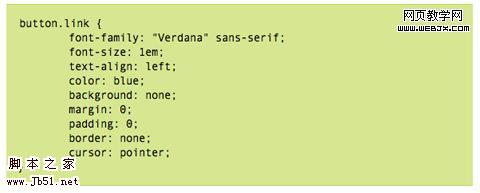
Sometimes you have to use a button (like with forms), but realize your design would look so much better with just a simple text link. This tutorial gives a complete overview of how to make your buttons look like text links using CSS.
Simple, Scalable CSS Based Breadcrumbs
Breadcrumbs can be a great addition to your site’s navigation and can really improve your site’s usability. This tutorial shows you how to create breadcrumbs with CSS. The code used is simple (the HTML portion is just an unordered list) and there are only six CSS styles defined.

Recreating the Button
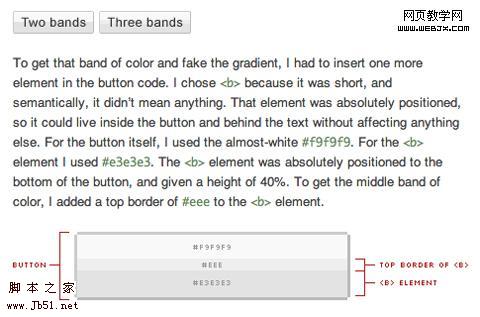
This article covers how to make a button that look very similar to regular HTML input buttons but can handle multiple types of interaction (like dropdowns or toggle functions). These buttons were originally developed at Google and are skinnable with just a few lines of CSS. The buttons created are entirely CSS-based, including the gradient background.
 List of 10+ Usability-Conscious Link Styles
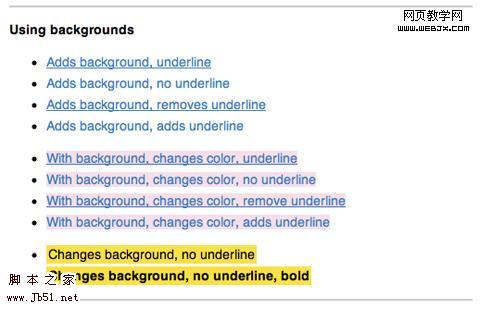
 This page offers a good overview of different effects you can use for links, including color and underline, backgrounds, and animations. It’s a good starting place if you’re trying to figure out exactly how your links should look and act to make them more user-friendly.
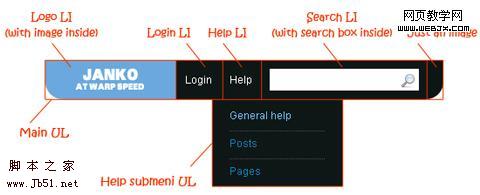
 Create Vimeo-Like Top Navigation
 Here’s a tutorial to create a drop-down top navigation bar similar to the one Vimeo.com uses. It’s all done with images, CSS and HTML and isn’t particularly difficult, though it is a bit complex. It’s explained really well, with images illustrating the structure and very well-written CSS.
 Beautifully Horizontal Centered Menus/Tabs/List
 This tutorial explains how to create cross-browser compatible, centered menus or other items in CSS with no hacks and no JavaScript It’s compatible with liquid layouts, too. Not only does it give the code to achieve the effect, but it also fully explains exactly how and why it works. 4. Typography
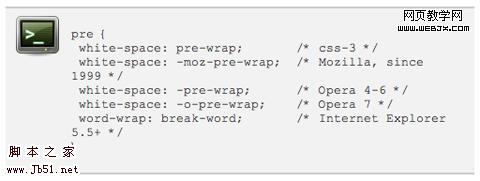
Here are a few tutorials and tricks for creating advanced typographic styles using CSS. There’s everything from line-wrap functions to faux anti-aliasing to adding gradients and shadows. Wrapping Text Inside Pre Tags
This tutorial shows how to wrap text within pre html tags. It’s useful for displaying code on your site, especially when lines of code are quite long and end up breaking your site’s layout (especially in IE). It’s a relatively simple and there are a few different options presented.
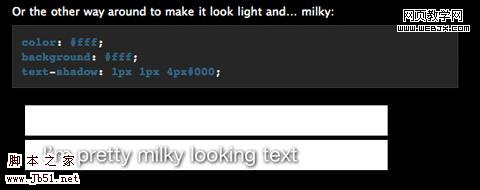
 Make Cool and Clever Text Effects with CSS Text-Shadow
 Creating text effects without the use of images is a big advantage in terms of both file size and the time required for maintenance. This tutorial shows how to take advantage of the text-shadow property in CSS to style your text. While this effect doesn’t work in IE, it does in most other browsers. And it looks incredibly cool if done well (I’m a big fan of the “milky text” example).