
AI > Claude Code >
claude code无法连接到Anthropic服务解决办法
Alair
先看问题
Unable to connect to Anthropic services
Failed to connect to api.anthropic.com: ERR BAD REQUEST
lease check your internet connection and network settings.
Note: Claude Code might not be available in your country, Check supported countries atnttps://anthropic.com/supported-countriesS E:ltoollclaude code>
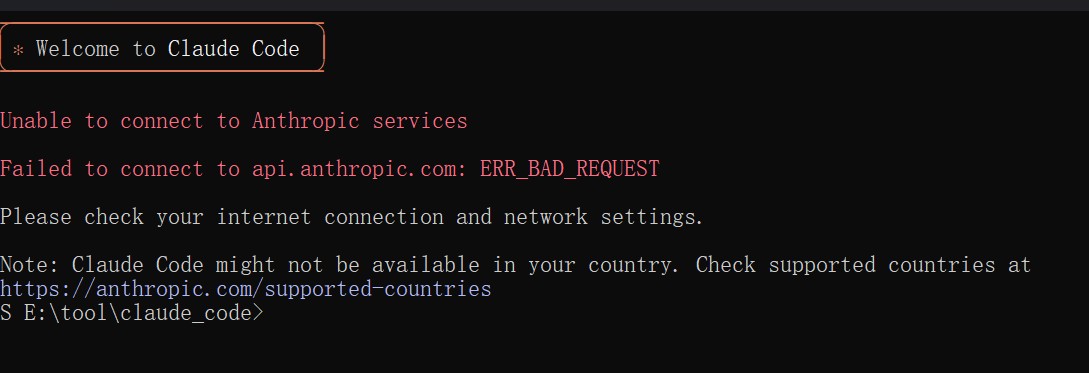
流程图

解决方法,手动添加绕开字段
1.打开文件夹

2.打开主文件夹

3.在这里搜索claude
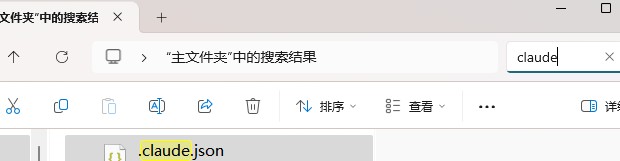
4.打开如图所示claude.json文件
5.输入"hasCompletedOnboarding": true,
{
  "installMethod": "unknown",
  "autoUpdates": true,
  "firstStartTime": "2025-07-14T06:11:03.877Z",
  "userID": "f5afdd05117c901a4a5a0761d08230bfcbb76f9fd380ff7bc144cc12c52e55aa",
  "projects": {
    "/home/nassi": {
      "allowedTools": [],
      "history": [],
      "mcpContextUris": [],
      "mcpServers": {},
      "enabledMcpjsonServers": [],
      "disabledMcpjsonServers": [],
      "hasTrustDialogAccepted": false,
      "projectOnboardingSeenCount": 0,
      "hasClaudeMdExternalIncludesApproved": false,
      "hasClaudeMdExternalIncludesWarningShown": false
    }
  },  //这里要加逗号,注意英文的
  "hasCompletedOnboarding": true  // 新增字段放在这里,注意位置
}
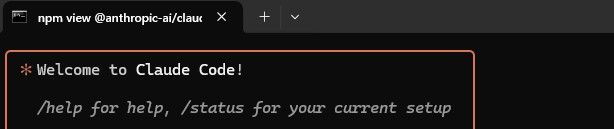
重新输入claude在命令行
claude
总结
到此这篇关于claude code无法连接到Anthropic服务解决办法的文章就介绍到这了,更多相关claude code无法连接Anthropic服务内容请搜索脚本之家以前的文章或继续浏览下面的相关文章,希望大家以后多多支持脚本之家!