
Python Scrapy框架开发:通过pipelines模块将数据写入记事本
作者:圆脸脸lxj
在Scrapy的pipelines.py里把数据写入txt,核心是重写 process_item 方法,再用 open_spider 和 close_spider 管理文件打开与关闭,这样能避免数据丢失,本文介绍Python Scrapy框架开发中pipelines模块将数据写入记事本中,感兴趣的朋友一起看看吧
理论知识:
用于处理spider中获取的items,可以对获取的数据进行进一步处理(将获取的items保存至文件或者数据库等)如果要使用pipelines模块中定义的各pipelines类,必须在settings模块中指定,格式如下:pipeline的权重值越小优先级越高

代码部分:
1. 创建一个新的项目 test1 命令:scrapy startproject test1
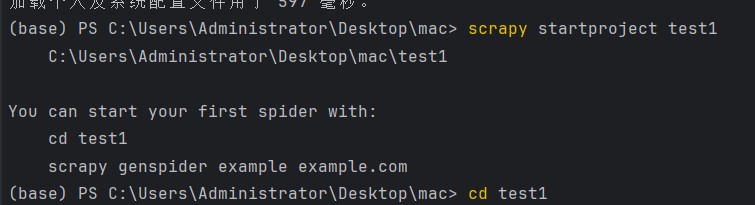
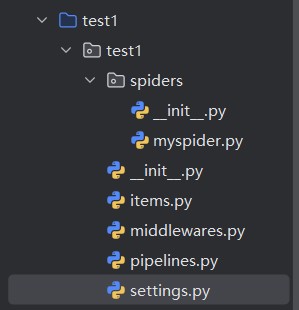
2. 重写items.py文件,定义title属性
import scrapy
class Test1Item(scrapy.Item):
    # define the fields for your item here like:
    # name = scrapy.Field()
    title=scrapy.Field()
3. 修改setting文件,指定要使用的pipeline对应的类。将下面这行代码解注释
ITEM_PIPELINES = {
   "test1.pipelines.Mytest": 300,
}
4. 在spider目录下创建爬虫文件myspider.py 命令:scrapy genspider -t basic myspider baidu.com

import scrapy
from test1.items import Test1Item
class MyspiderSpider(scrapy.Spider):
    name = "myspider"
    allowed_domains = ["sina.com.cn"]
    start_urls = ["http://sina.com.cn/"]
    def parse(self, response):
        item = Test1Item()
        item['title'] = response.xpath("/html/head/title").extract_first()
        print(item['title'])
        yield item
5. 重写pipeline.py文件
import codecs
class Mytest(object):
    def __init__(self):
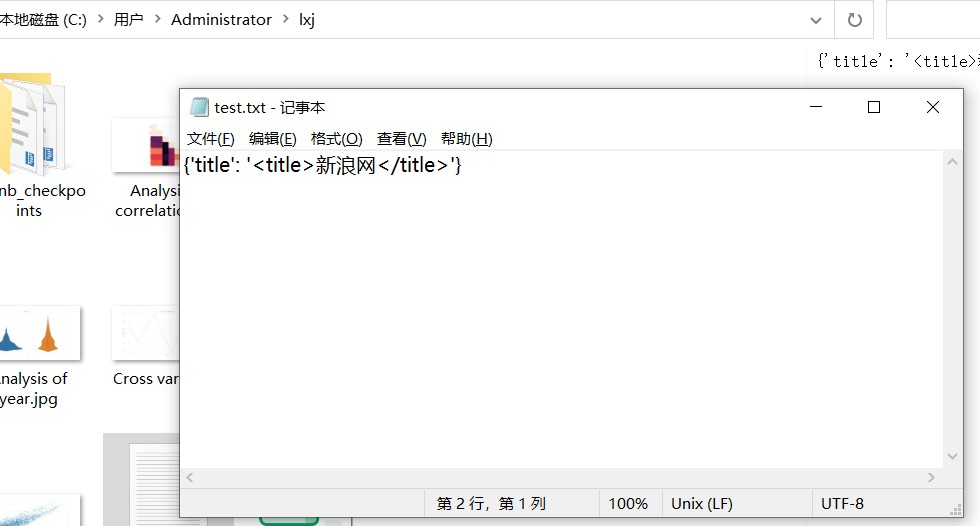
        self.file = codecs.open("C:/Users/Administrator/lxj/test.txt","wb",encoding="utf-8")
    def process_item(self, item, spider):
        ll=str(item)+'\n'
        self.file.write(ll)
        return item
    def close_spider(self,spider):
        self.file.close()
6. 执行行爬虫文件 命令:scrapy crawl myspider --nolog

到此这篇关于Python Scrapy框架开发:通过pipelines模块将数据写入记事本的文章就介绍到这了,更多相关Scrapy框架将数据写入内容请搜索脚本之家以前的文章或继续浏览下面的相关文章希望大家以后多多支持脚本之家!