
Sentinel如何对Spring Cloud Gateway进行精准限流
作者:渔阳镇节度使
在微服务系统中,网关提供了微服务系统的统一入口,所以我们在做限流的时候,肯定是要在网关层面做一个流量的控制,Sentinel 支持对 Spring Cloud Gateway、Zuul 等主流的 API Gateway 进行限流。
网关

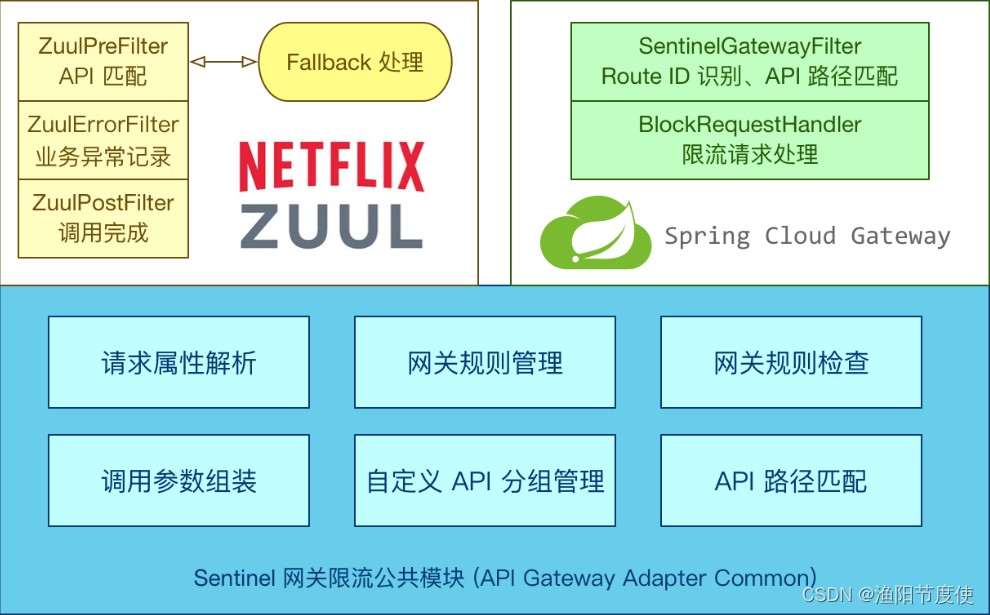
Sentinel 1.6.0 引入了 Sentinel API Gateway Adapter Common 模块,此模块中包含网关限流的规则和自定义 API 的实体和管理逻辑:
GatewayFlowRule:网关限流规则,针对 API Gateway 的场景定制的限流规则,可以针对不同 route 或自定义的 API 分组进行限流,支持针对请求中的参数、Header、来源 IP 等进行定制化的限流。ApiDefinition:用户自定义的 API 定义分组,可以看做是一些 URL 匹配的组合。比如我们可以定义一个 API 叫 my_api,请求 path 模式为 /foo/** 和 /baz/**的都归到 my_api 这个 API 分组下面。限流的时候可以针对这个自定义的 API 分组维度进行限流。
其中网关限流规则 GatewayFlowRule的字段解释如下:
resource:资源名称,可以是网关中的 route 名称或者用户自定义的 API 分组名称。resourceMode:规则是针对 API Gateway 的 route(RESOURCE_MODE_ROUTE_ID)还是用户在 Sentinel 中定义的 API 分组(RESOURCE_MODE_CUSTOM_API_NAME),默认是 route。grade:限流指标维度,同限流规则的 grade 字段。count:限流阈值intervalSec:统计时间窗口,单位是秒,默认是 1 秒。controlBehavior:流量整形的控制效果,同限流规则的controlBehavior字段,目前支持快速失败和匀速排队两种模式,默认是快速失败。burst:应对突发请求时额外允许的请求数目。maxQueueingTimeoutMs:匀速排队模式下的最长排队时间,单位是毫秒,仅在匀速排队模式下生效。paramItem:参数限流配置。若不提供,则代表不针对参数进行限流,该网关规则将会被转换成普通流控规则;否则会转换成热点规则。其中的字段:parseStrategy:从请求中提取参数的策略,目前支持提取来源 IP(PARAM_PARSE_STRATEGY_CLIENT_IP)、Host(PARAM_PARSE_STRATEGY_HOST)、任意 Header(PARAM_PARSE_STRATEGY_HEADER)和任意 URL 参数(PARAM_PARSE_STRATEGY_URL_PARAM)四种模式。fieldName:若提取策略选择 Header 模式或 URL 参数模式,则需要指定对应的 header 名称或 URL 参数名称。pattern:参数值的匹配模式,只有匹配该模式的请求属性值会纳入统计和流控;若为空则统计该请求属性的所有值。(1.6.2 版本开始支持)matchStrategy:参数值的匹配策略,目前支持精确匹配(PARAM_MATCH_STRATEGY_EXACT)、子串匹配(PARAM_MATCH_STRATEGY_CONTAINS)和正则匹配(PARAM_MATCH_STRATEGY_REGEX)。(1.6.2 版本开始支持)
用户可以通过 GatewayRuleManager.loadRules(rules) 手动加载网关规则,或通过 GatewayRuleManager.register2Property(property) 注册动态规则源动态推送(推荐方式)。
网关流控控制台
Sentinel 1.6.3 引入了网关流控控制台的支持,用户可以直接在 Sentinel 控制台上查看 API Gateway 实时的 route 和自定义 API 分组监控,管理网关规则和 API 分组配置。
使用方式
首先在网关中添加依赖:
<dependency>
     <groupId>com.alibaba.cloud</groupId>
     <artifactId>spring-cloud-starter-alibaba-sentinel</artifactId>
</dependency>
<dependency>
     <groupId>com.alibaba.csp</groupId>
     <artifactId>sentinel-spring-cloud-gateway-adapter</artifactId>
</dependency>
<dependency>
     <groupId>com.alibaba.cloud</groupId>
     <artifactId>spring-cloud-alibaba-sentinel-gateway</artifactId>
</dependency>
网关服务的配置
server:
  port: 9999
spring:
  application:
    name: cloud-gateway-service
  cloud:
    nacos:
      discovery:
        server-addr: localhost:8848
    sentinel:
      transport:
        # 配置Sentinel dashboard地址
        dashboard: localhost:8080
        # 默认8719端口,键入被占用会自动从8719+1,直到找到未被占用的端口
        port: 8719
    gateway:
      discovery:
        locator:
          enabled: true
        #enabled: true #开启注册中心路由功能
      routes:  # 路由
        - id: nacos-provider #路由ID,没有固定要求,但是要保证唯一,建议配合服务名
          uri: lb://nacos-provider # 匹配提供服务的路由地址
          predicates: # 断言
            - Path=/gate/** # 断言,路径相匹配进行路由
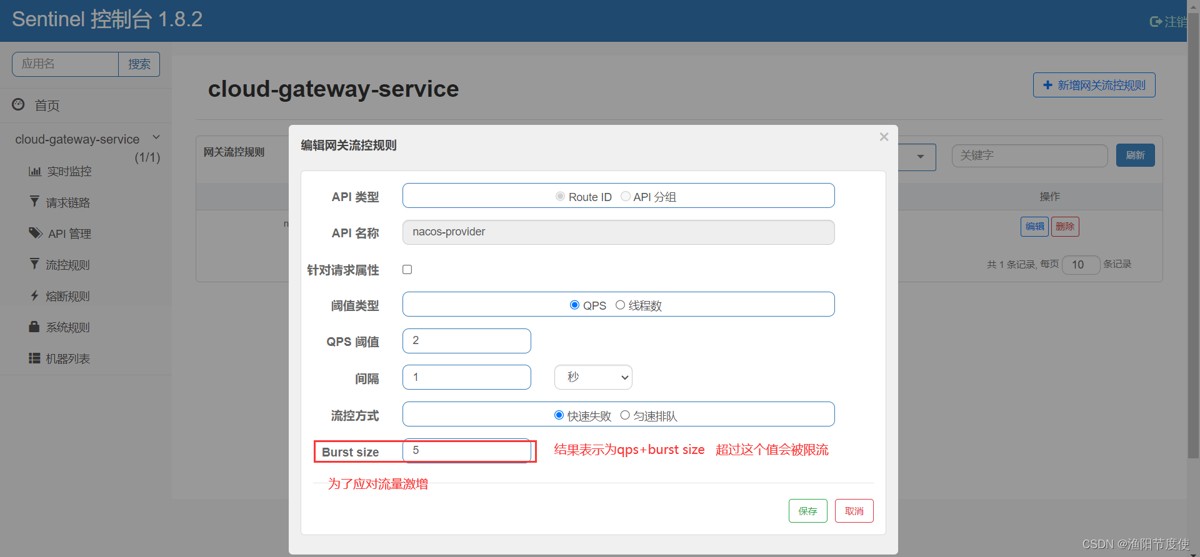
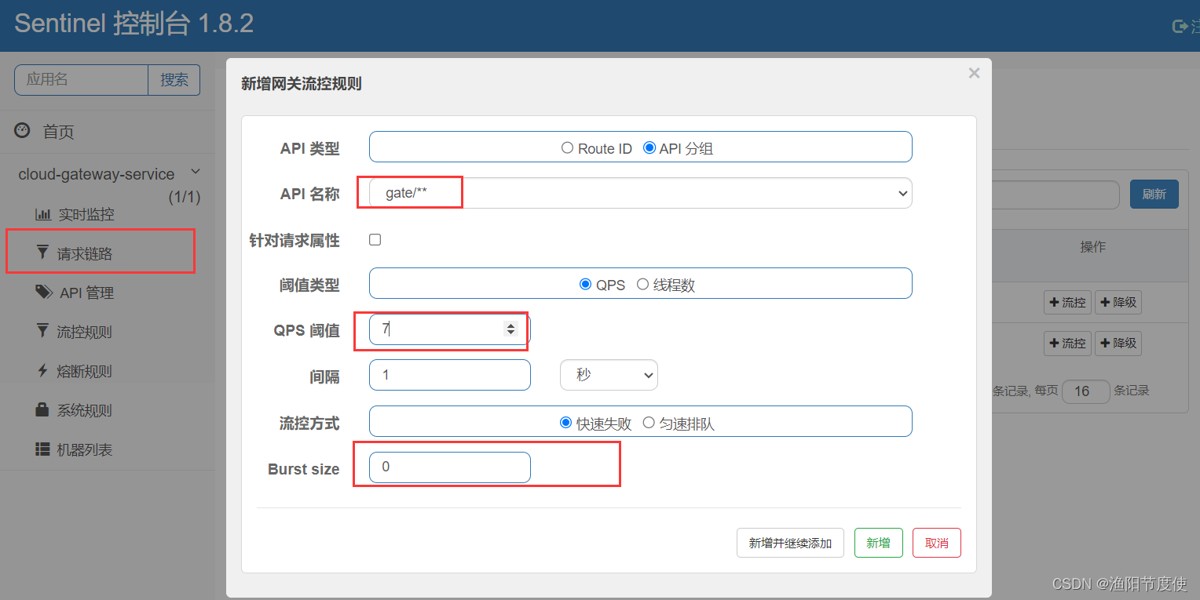
然后在Sentinel控制台中增加Route ID对应的流控
route ID模式
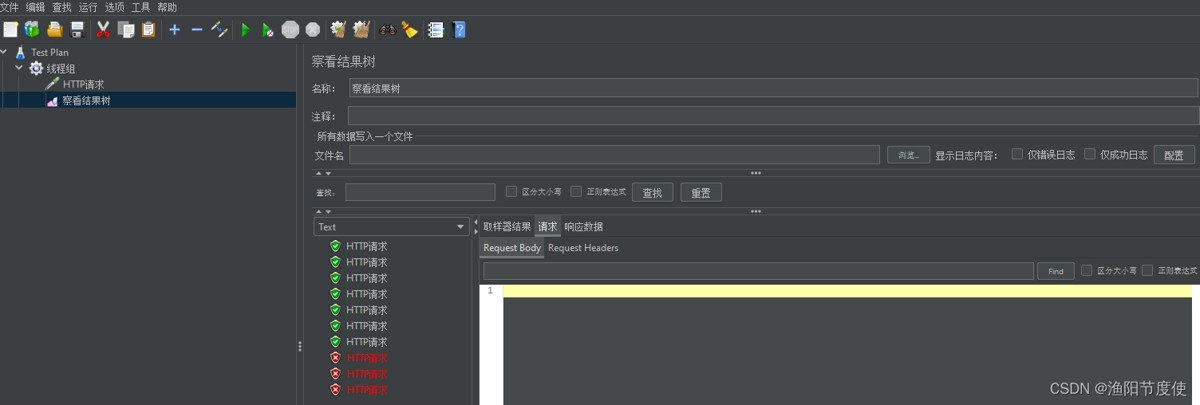
执行结果
API分组
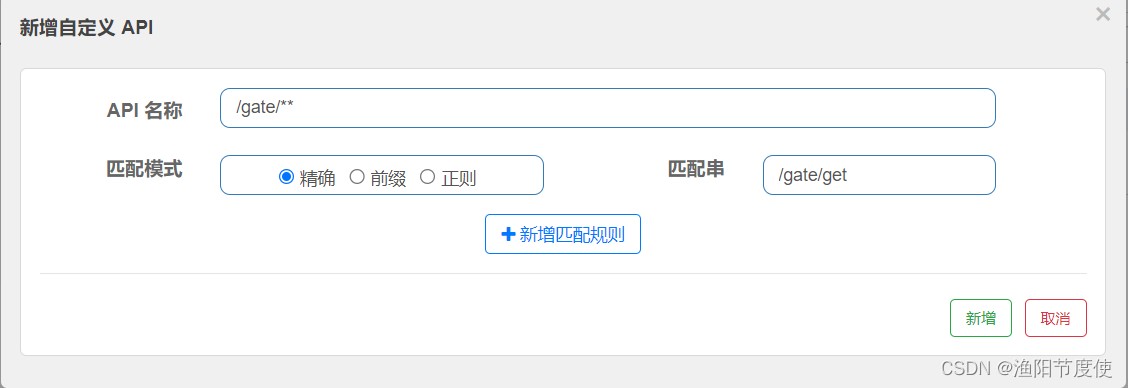
这是最简单的一种测试方式,在正常生产环境中,可以只会针对某个接口来进行限流,所以还可以配置对应的API分组
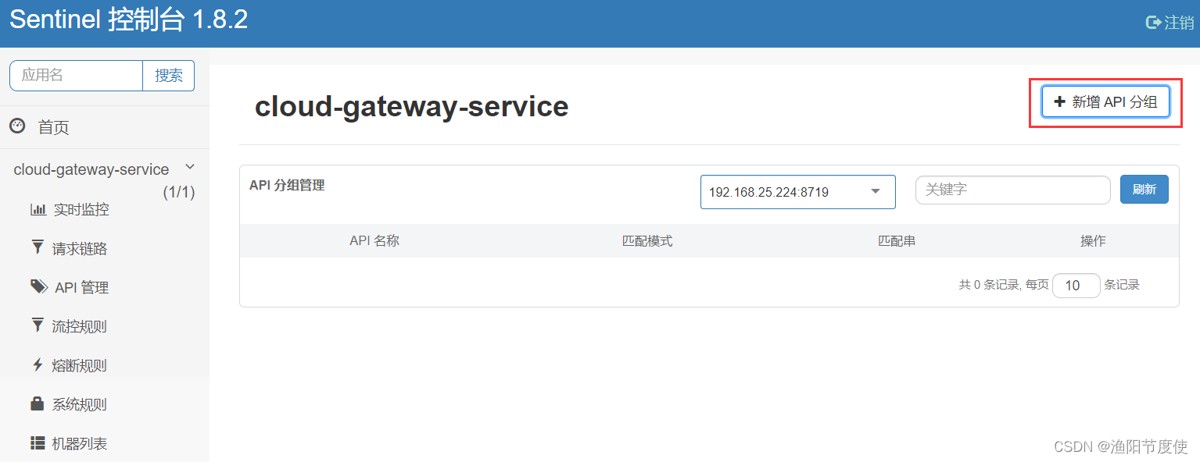
精准:精准匹配对应的请求地址
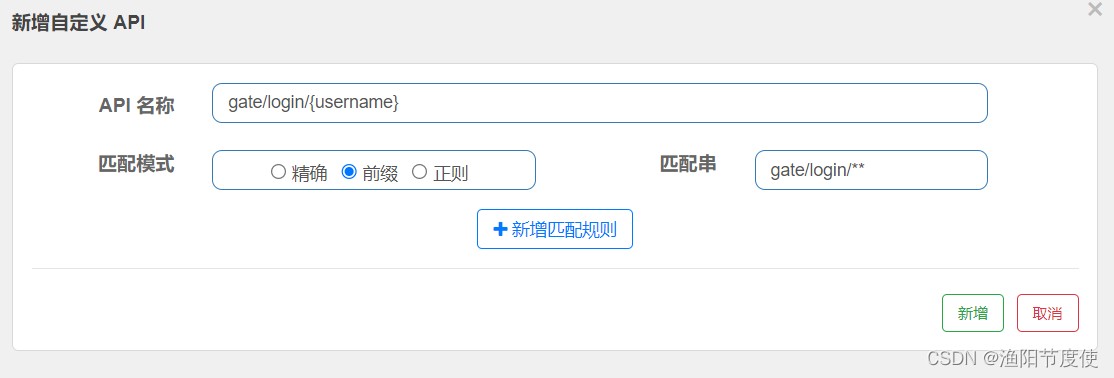
前缀:匹配对应的地址前缀(针对有参数的请求)
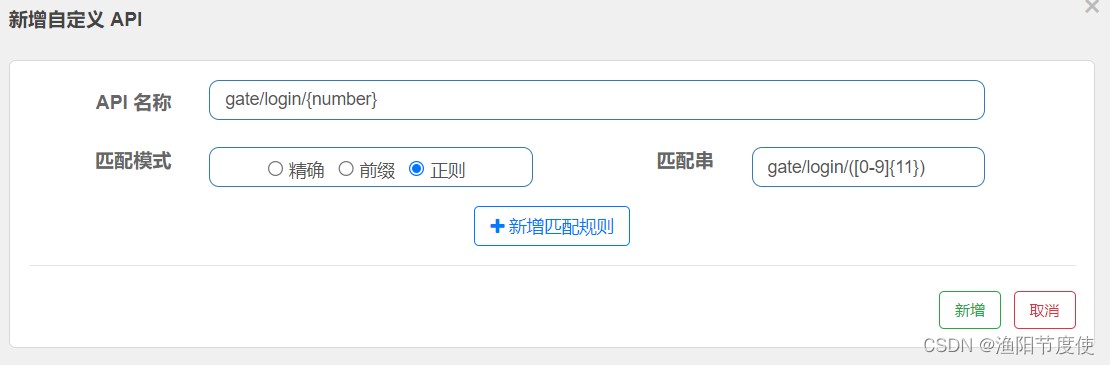
正则:通过正则的方式匹配
生产环境中可能还会出现这种路径:
gate/login/aaa
gate/login/v1/aaa
/gate/login/** 这种方式都可以匹配所以需要用到正则
所以想要解决这种问题,其实我们可以把详细的也就是gate/login/v1/aaa这种地址用前缀来匹配,那么对应的这种gate/login/aaa路径就可以直接使用正则来进行匹配,比如:
/gate/login/([a-z]+)
具体演示:
总结
以上为个人经验,希望能给大家一个参考,也希望大家多多支持脚本之家。